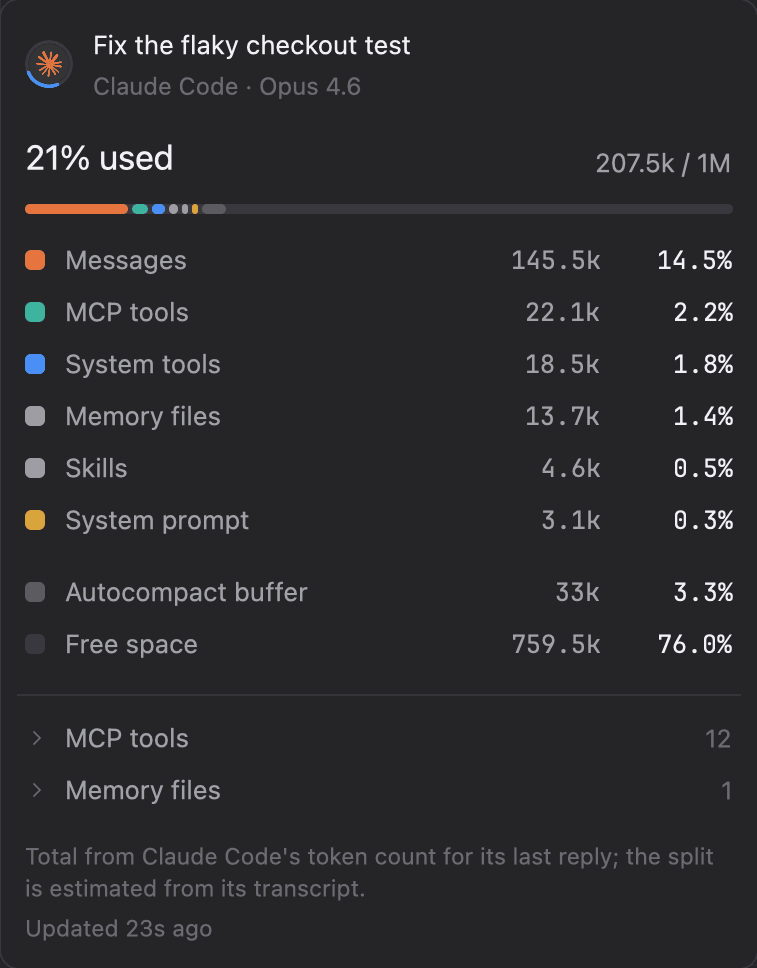
See what fills the context window.
A meter follows each reply within a second. Open it for a breakdown like /context, and watch the prompt cache count down so you reply before it goes cold.
Read about it in the docsagex is a terminal workspace for your Mac. Run Claude Code, Codex and the rest side by side across your projects, see which ones are working, done or waiting on you, and answer them without switching tabs.
For Macs with Apple silicon, macOS 11 or later.
 Fix the flaky checkout testEditing checkout.spec.ts4m
 Move settings to the new schemaWaiting for your answer1m
 Add retries to the webhook senderDone12m
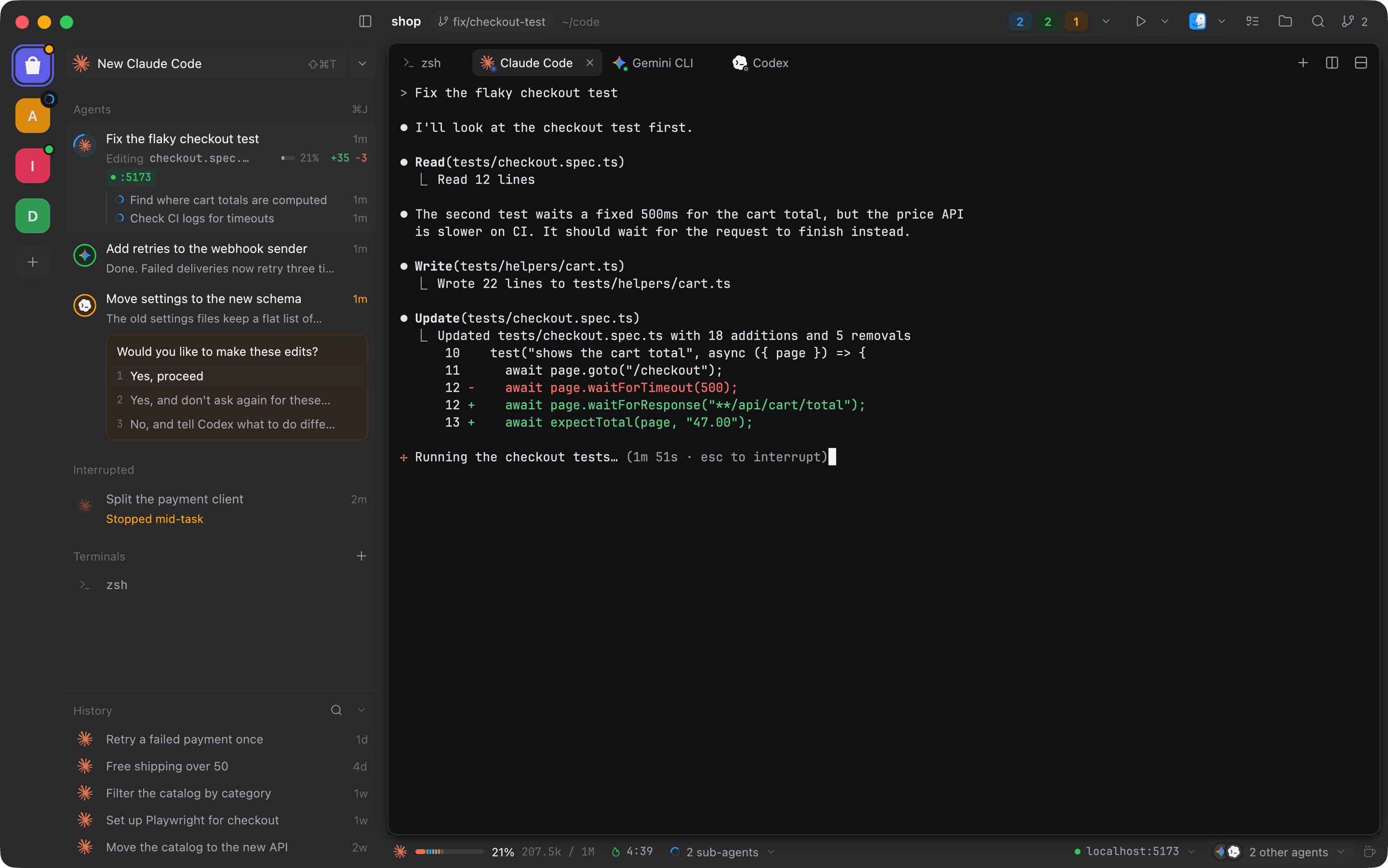
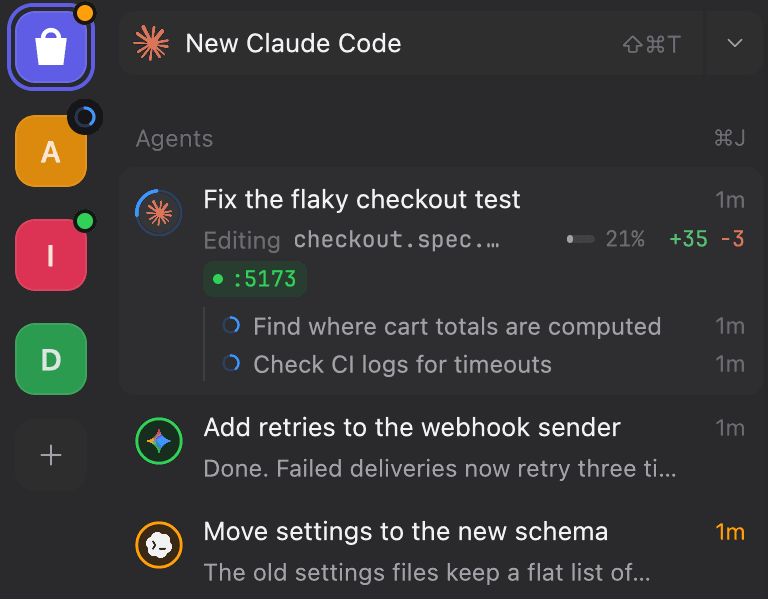
One tile per project. A dot shows when an agent there is working, done or waiting on you.
Each agent's task, what it's doing right now, for how long and what it changed. Questions show up here, ready to answer.
How full the agent's context window is, how long its prompt cache stays warm, and the servers your agents started.
Every agent wears a ring that says what it's doing. The same colors mark the dots on project tiles, the counts in the top bar and the list in the menu bar.
When an agent asks for permission or a choice, its question and options show up under it. Click one to answer without switching tabs.
⌘Jjumps to the agent that has waited longest for you, in any project.
A meter follows each reply within a second. Open it for a breakdown like /context, and watch the prompt cache count down so you reply before it goes cold.
Read about it in the docs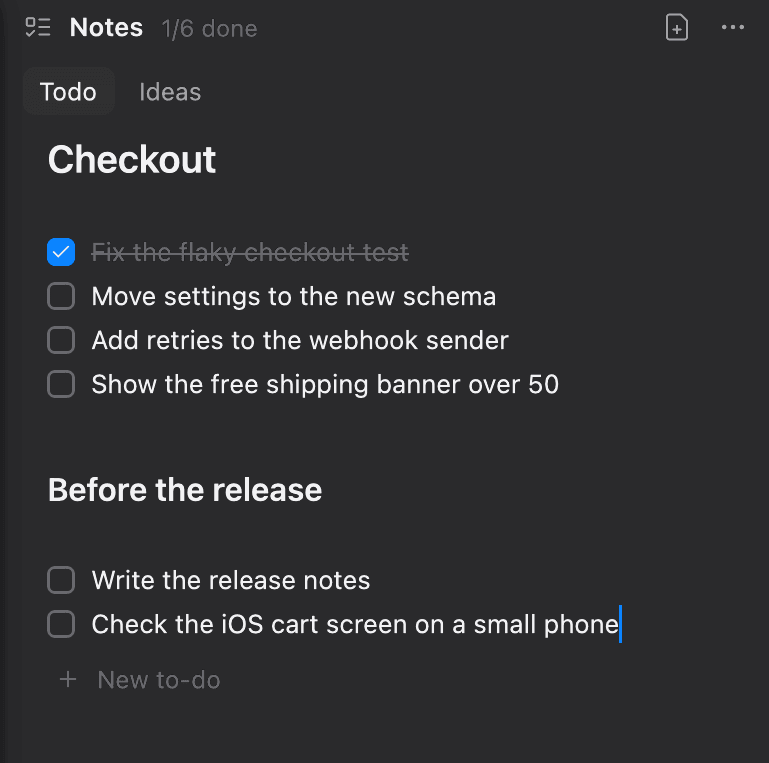
Notes are plain markdown per project. agex installs a skill so any agent can add to your list or do the next item, and you can send any block to an agent with ⇧⌘↵.
Read about it in the docs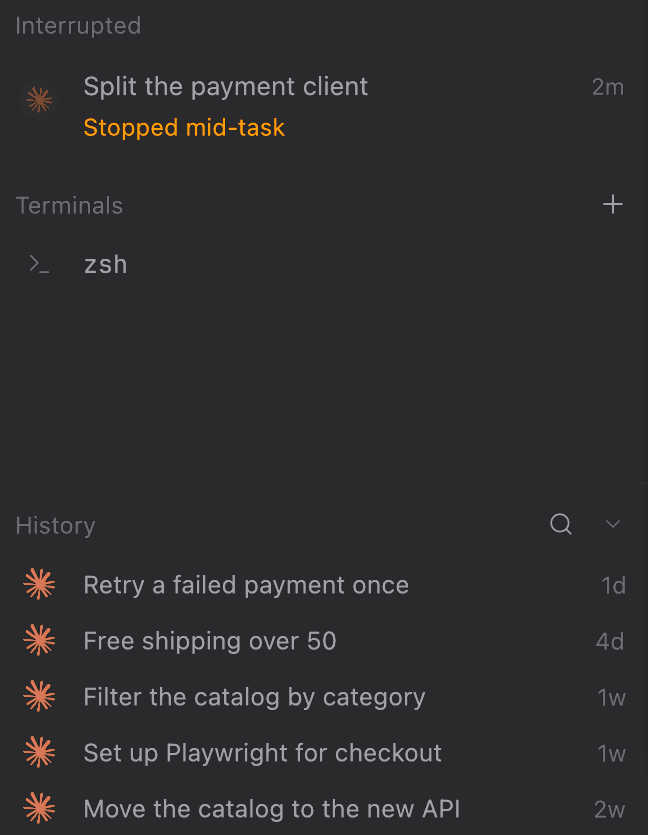
Agents cut off when agex quit wait under their project with what they were doing, to resume in a click. History lists every past session from each agent's own records.
Read about it in the docsagex finds the agent CLIs installed on your Mac and starts any of them in a click. It reads their own records to show tasks, context and past sessions, and you can add your own commands as custom agents.
What agex tracks for each agentClaude CodeCodexGemini CLI Antigravity
 Cursor Agent
 Copilot CLI
 OpenCode
 Crush
 Amp
 Aider
 Goose
 Cline
 Kilo Code
 Qwen Code
 Kimi CLI
 Kiro CLI
 Droid
 Auggie
 OpenHands
 Mistral Vibe
 Qodo Command
 Blackbox CLI
 Jules
 Trae Agent
 Continue
 Amazon Q
 Pi
 Grok CLI
 Junie
The agex command starts agents, lists them, waits for them to finish and edits your to-dos. Scripts and other agents can use it too.
~/code/shop $ agex new claude "fix the failing checkout test"
Started, id 7 (agex wait 7)
~/code/shop $ agex agents
7  working 4m  Claude Code  shop  Fix the failing checkout test
5  waiting 1m  Codex        shop  Move settings to the new schema
6  done 12m    Gemini CLI   api   Rate-limit the login route
~/code/shop $ agex wait 7 && agex todo next
Claude Code finished
Move settings to the new schema
~/code/shop $ agex todo run --agent codex
Started on “Move settings to the new schema”, id 8
~/code/shop $ For Macs with Apple silicon, macOS 11 or later.